
Here’s the reality if you’re a technology leader at an enterprise organization that’s existed as a going concern for longer than the shelf life of modern rechargeable batteries. You’ve got stuff. Not you specifically, but your organization. Depending on the nature of your business, that stuff is all the files, emails, Teams chat messages, information of business value and stuff that’s not. It’s most likely measured in terabytes. It may even be petabytes if you consider the thousands of personal files synced to users’ OneDrives (that are not of any sort of business value but they’re in your production M365 environment nonetheless!) That’s a lot of stuff! Securing and governing all that stuff, even if it’s in the same cloud environment without multicloud or on-premises complexities, may be one of your official job description roles. So… Is there a streamlined way for a Microsoft365-centric organization to pursue its data security, compliance, and governance goals amidst this backdrop of increasing corporate complexity? In short, yes, there is! Your road should lead to Microsoft Purview, a comprehensive solution designed to help organizations govern, protect, and manage data wherever it resides. In this blog post I’ll focus on demystifying Microsoft Purview, because it can feel quite intimidating to many.
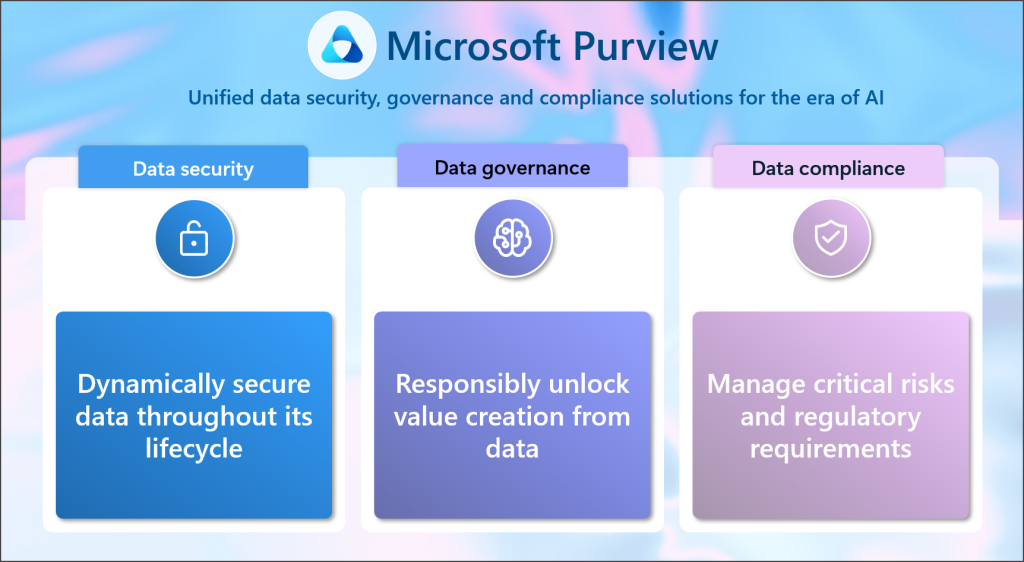
What is Microsoft Purview, and how is it organized?
Without rehashing Microsoft’s marketing mumbo jumbo, here’s how to think about Microsoft Purview. It’s a Microsoft product/solution that integrates key security, compliance, and governance capabilities. Each capability has several features. All the features within all of the capabilities are integrated into a common user interface that streamlines the day-to-day work of the security, compliance, and governance professionals whose day job it is to ensure your organization’s data is… well… secure, compliant, and well-governed. It’s not an app that your average end user busy working with Word/Excel/PowerPoint/Outlook will ever interact with. They may never even know it exists. User awareness of the various Purview capabilities and their respective features does vary, by design:
- No awareness: Some Purview capabilities and their features (e.g.: Insider Risk Management or eDiscovery) are ‘back of the house’ capabilities in that they are completely opaque to end users.
- Full awareness: For some Purview capabilities (e.g.: Microsoft Purview Information Protection), your end users will have full awareness of one of its features (e.g.: the “Sensitivity” button in the Office apps ribbon, from where they can select and apply a Sensitivity label that was published to them).
- Situational awareness: Some Purview capabilities continue to provide vigilance in the background, until end users perform an activity that’s been prohibited. E.g.: when Purview Data Loss Prevention blocks the user from uploading sensitive information (like a credit card number or Social Insurance/Security Number) into M365 Copilot or a Teams chat. If another user never performs an activity that’s being monitored or enforced, that user may never even know that Purview DLP was configured and working behind the scenes.
What do you get with Microsoft Purview?
Sensitivity labels can be applied across a broad set of Microsoft365 experiences, but the exact behavior depends on workload, licensing, configuration, and client support.
The practical consideration for technology leaders looking to deploy sensitivity labels at your enterprise organization is that while sensitivity label coverage is broad, it is not uniform. Every rollout should validate workload support, licensing, client versions, file types, encryption choices, guest access patterns, and business workflows before broad enforcement.
1. Data Security and Protection
What is it? Robust data security capabilities, including Information Protection, Data Loss Prevention (DLP), and Insider Risk Management, a capability that straddles security and compliance.
Why does it matter? Sensitive data moves constantly across files, messages, apps, devices, and AI-powered tools. Without the right protections, one overshared file can trigger breach exposure, regulatory scrutiny, business disruption, and reputational damage. Data security helps to avoid that.
How to get started: Implement sensitivity labels to classify and protect data, and configure DLP policies to monitor and prevent unauthorized data sharing.
2. Compliance and Risk Management
What is it? Capabilities to help organizations manage compliance and mitigate risks, such as Compliance Manager, eDiscovery, and Audit.
Why does it matter? Compliance isn’t just about avoiding penalties; it’s about proving your organization can be trusted with the data it holds. Strong compliance and risk management practices help reduce regulatory exposure, support defensible decisions, and protect customer confidence in your organization.
How to get started: Use Data Lifecycle Management and Records Management to manage your information of business value, retain the content you need to keep, and delete the content you don’t. Use Compliance Manager to assess your compliance posture, eDiscovery tools to identify and manage data relevant to legal matters.
3. Unified Data Governance
What is it? One of the challenges with modern work is that it exists across various environments. Here, Purview provides a centralized platform to manage those complexities.
Why does it matter? When data is spread across platforms, it’s harder to find, classify, protect, and trust. A unified governance approach provides a clearer view of your data estate, making it easier to manage risk, improve decision-making, and apply controls more effectively.
How to get started: Register and scan your data sources using the Microsoft Purview Data Map to start building an inventory of your data estate.
4. Microsoft Purview Portal
What is it? Integrating all of the Purview capabilities and features into a unified, coherent user interface targeted at administrators.
Why does it matter? everything ‘administrator’ type staff need from a security, compliance, and governance standpoint so they can see and interact with the signals that are being collected by Purview across its capability stack. This happens while your organization’s end users just get on with their day jobs using the other Microsoft apps and services provisioned for them (and bundled with your subscription).
How to get started: log in to the Purview portal.
What’s Next?
Your first step should be to log in to the Microsoft Purview portal. Next you should tour the portal interface and navigate to the various capabilities to get a feel for how it’s organized, what the pre-built dashboards are set up to visualize, etc.
You’ll probably start to wonder what you should be deploying first. Most enterprise organizations deploy sensitivity labels as a foundational step (and there’s a link below to my blog post on what sensitivity labels are, and where they can be applied).
While the published resource from Microsoft on deploying information protection provides some general guidance to begin your planning efforts, I would urge caution in taking this as prescriptively as it suggests. In my experience, generic guidance is only somewhat useful because it does not adequately assess the nuances and uniqueness of your organization, which puts much of the generic guidance in the bucket of ‘definitely don’t do it like that’. My one criticism of generic guidance is that it tends to assume organizations which have existed for a long time just happen to have a completely greenfield Microsoft365 environment. That’s almost never the case, unless yours happens to be migrating into Microsoft365 from some other productivity ecosystem.
As sensitivity labels fall under that “full awareness” capability category above, it is crucial that your technical deployment planning works hand in hand with your Organizational Change Management planning. This will help to prepare your end-users with knowledge on how to apply sensitivity labels to your sensitive organizational data, and how to handle and protect that information as you continue to build the maturity of your Data Security Program over time.
By the way, check out a previous post I authored on what sensitivity labels are, and where they can be applied.
Thanks for reading, and please reach out if you’d like to discuss the practical next steps you can take… or if you have a question and just want to chat more!